PwC enterprise work · UX/UI · 2020
Enterprise Upskilling Platform
Real enterprise work from my time at PwC. Company branding is blurred, and people, plans, and data shown are sample content from the design files.
01The product
An internal platform that helped employees and leaders see current skills, find gaps, and build learning plans for themselves, their team, or the whole organization. It also showed market insights on emerging and declining roles.
02My role
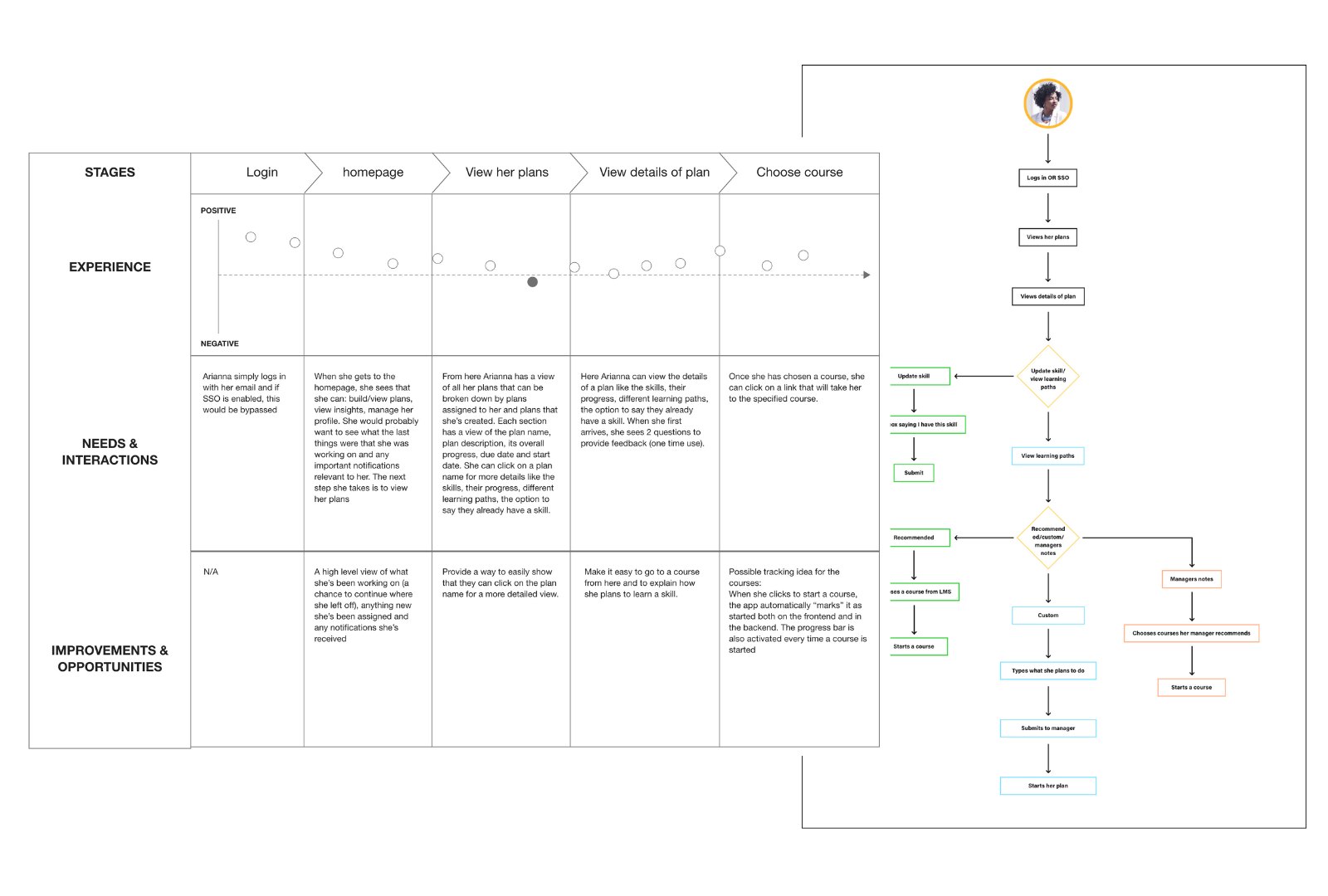
I was the UX/UI designer on this work. I created the journey map and task flow, and I designed every screen shown here: the homepage, plan list, Build a Plan flow, profile and skills, the add-skill search, and the plan assignment email.
03Mapping the journey
I mapped the main path for a sample employee, from login to starting a course, and noted what she needed and where the experience could improve at each step. The map pointed to three priorities: a homepage that shows what she is working on and anything new, an obvious path into plan details, and a way to track course progress automatically once she starts.
04Design decisions you can see in the screens
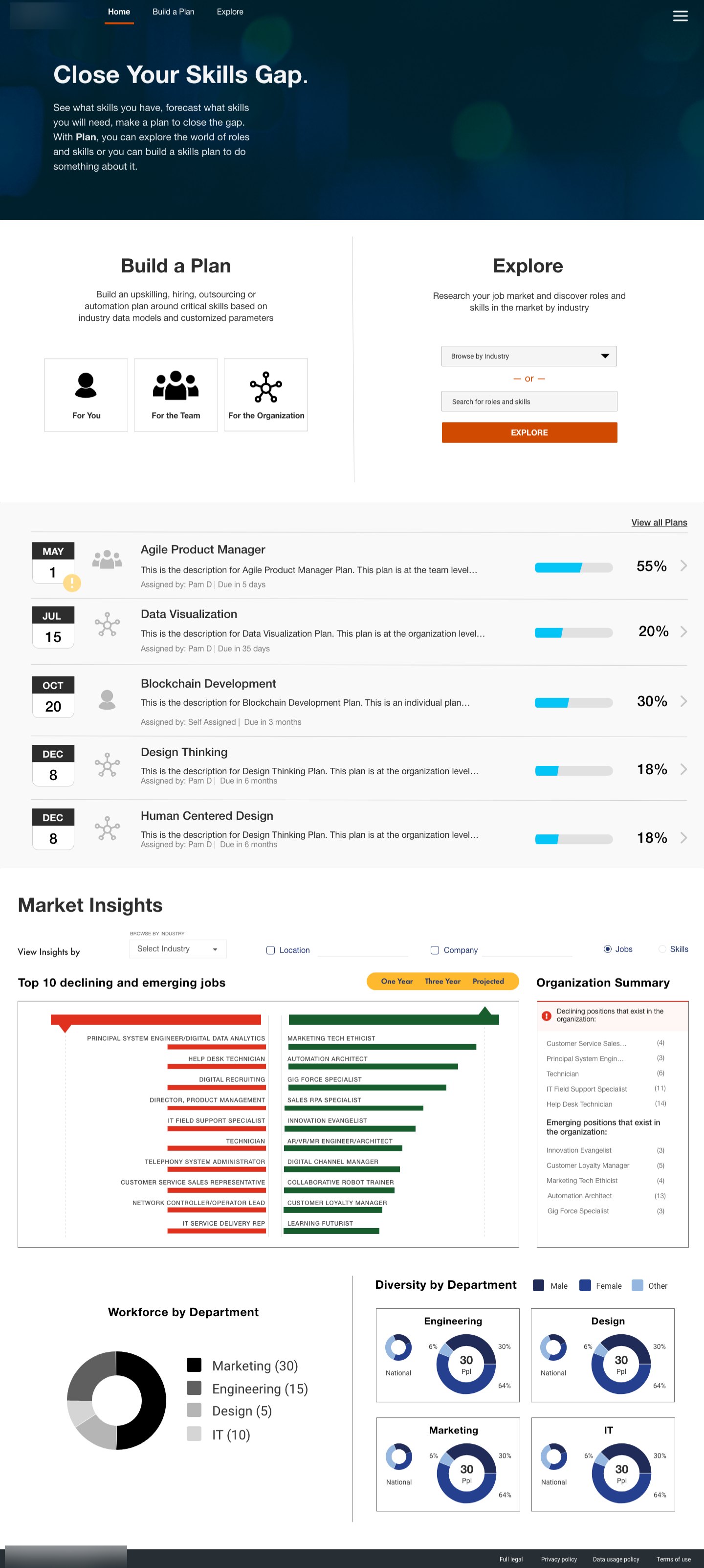
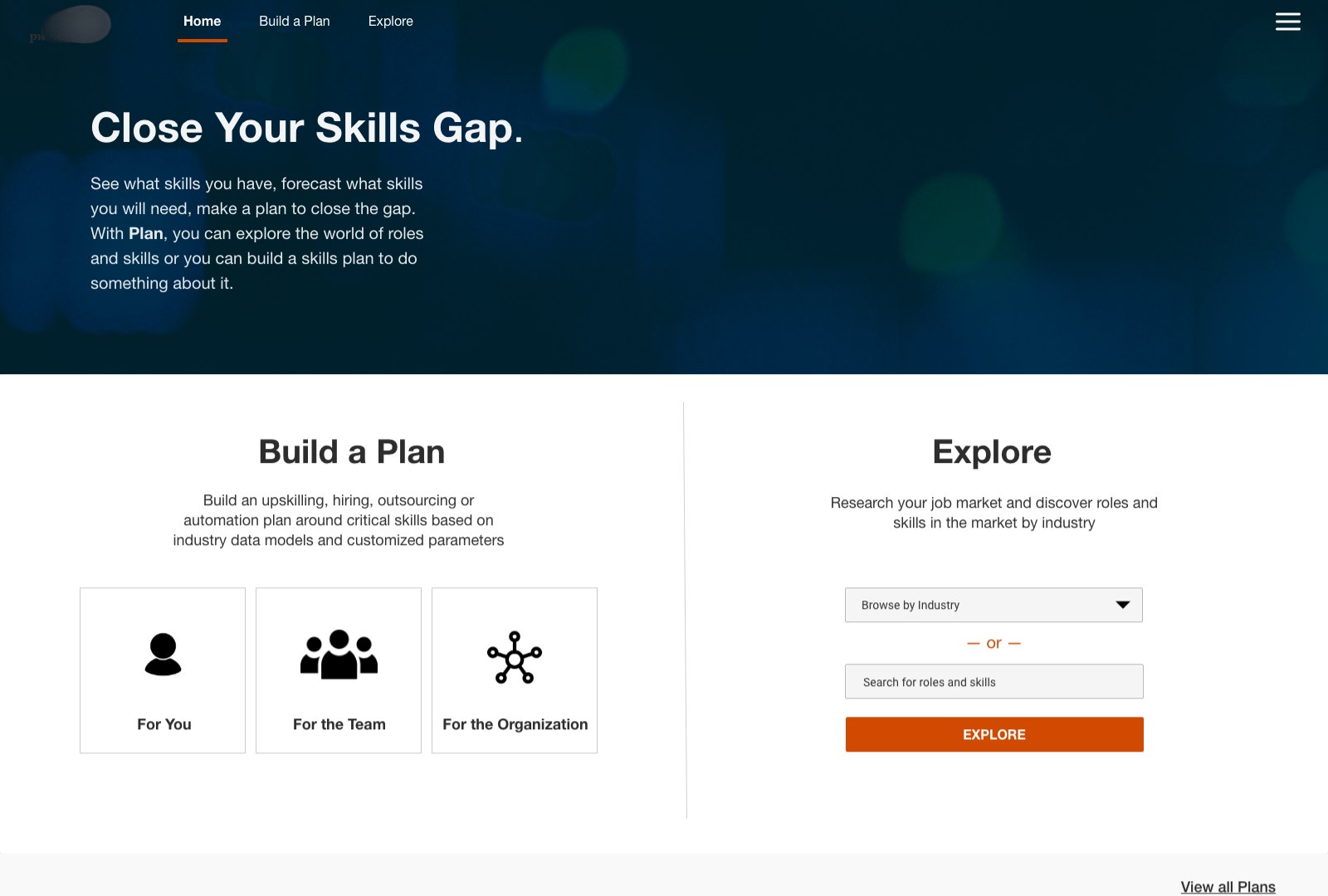
- The homepage puts the two main jobs, Build a Plan and Explore, side by side, with three clear entry points based on who the plan is for: you, your team, or the organization.
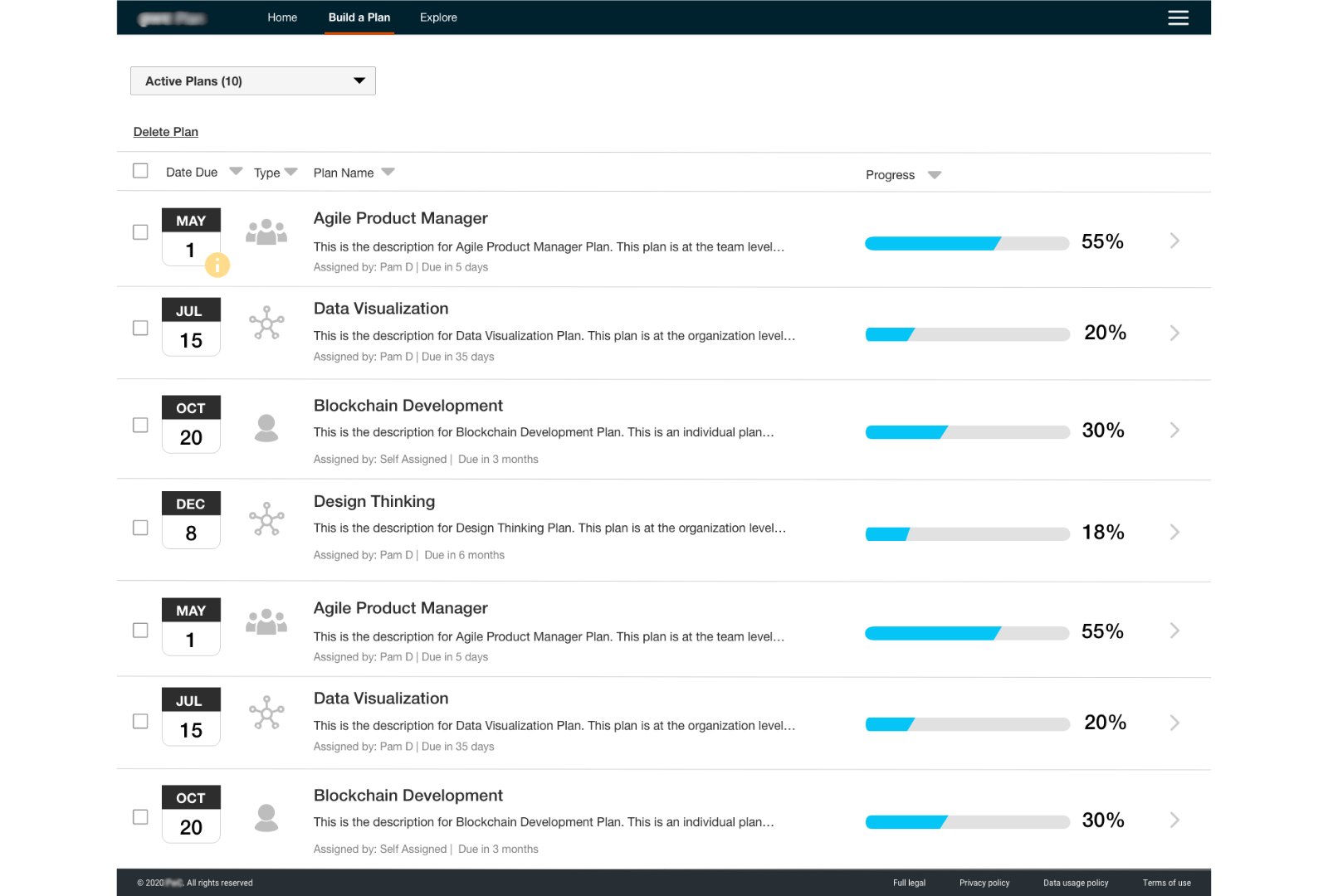
- In the plan list, each row leads with the due date, an icon for plan type, and a progress bar with a percentage, so people can check status without opening each plan.
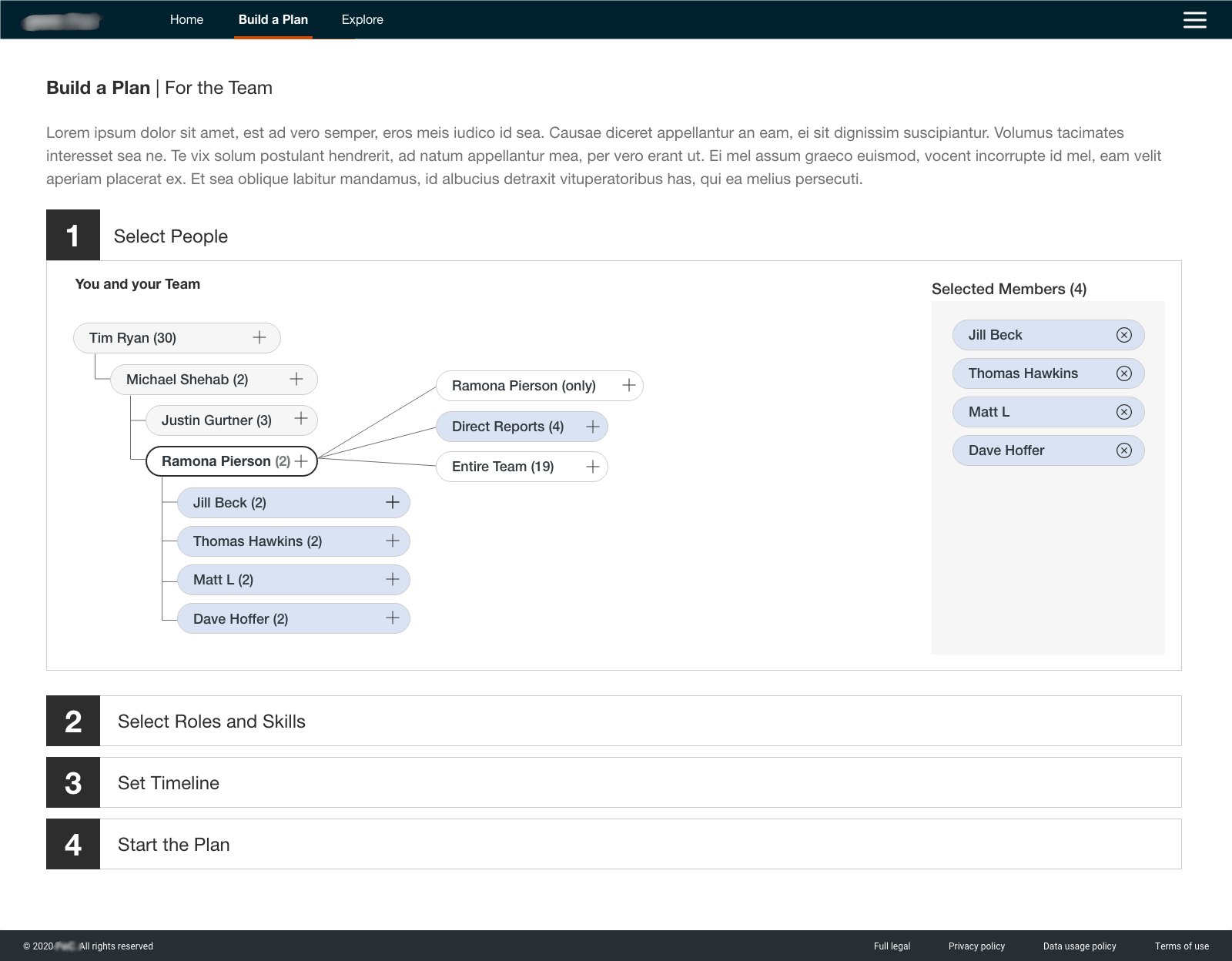
- Building a team plan is a numbered four-step sequence. People are picked from the org hierarchy, with options to add one person, direct reports, or a whole team, and a running list of who is selected.
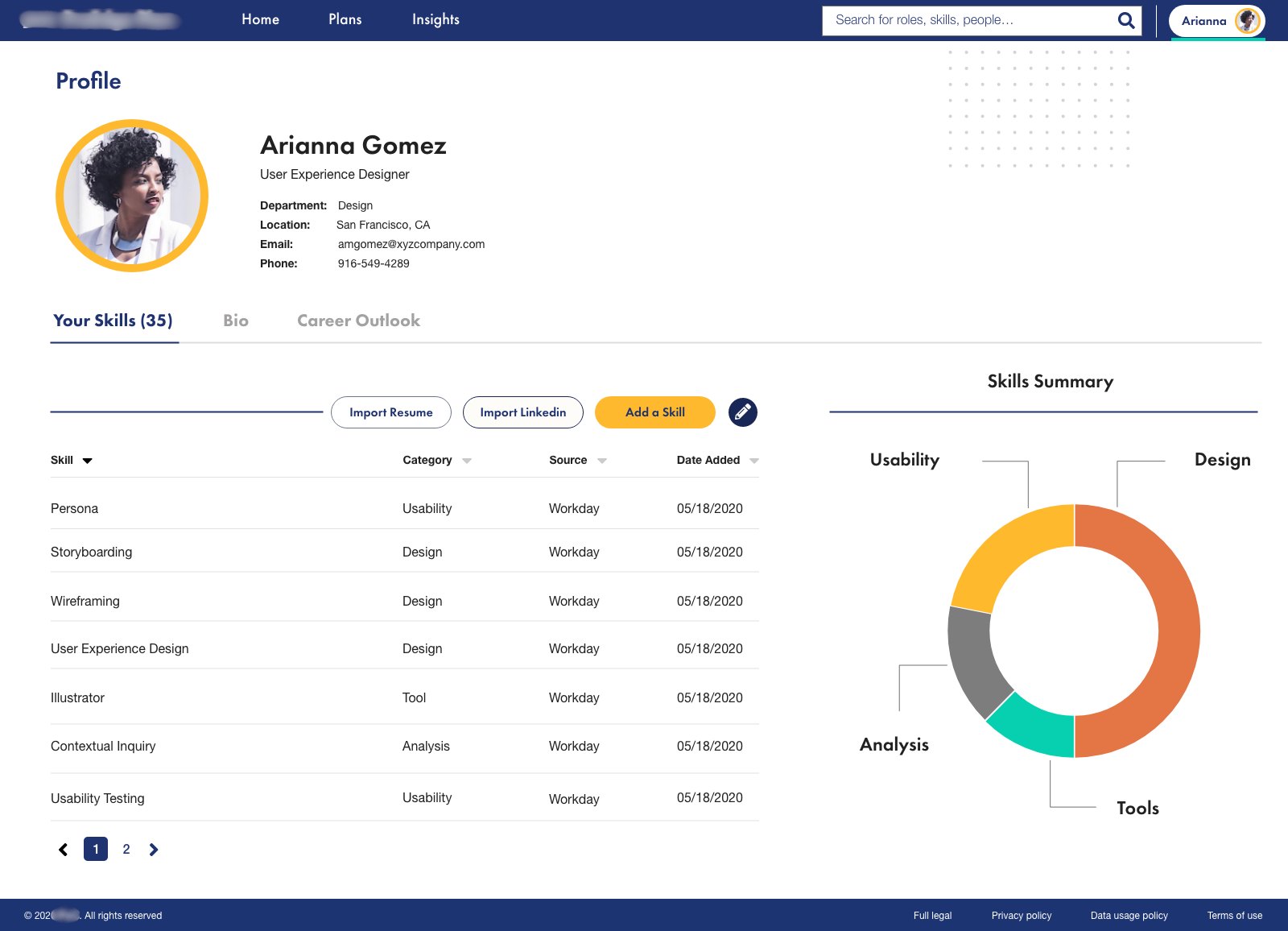
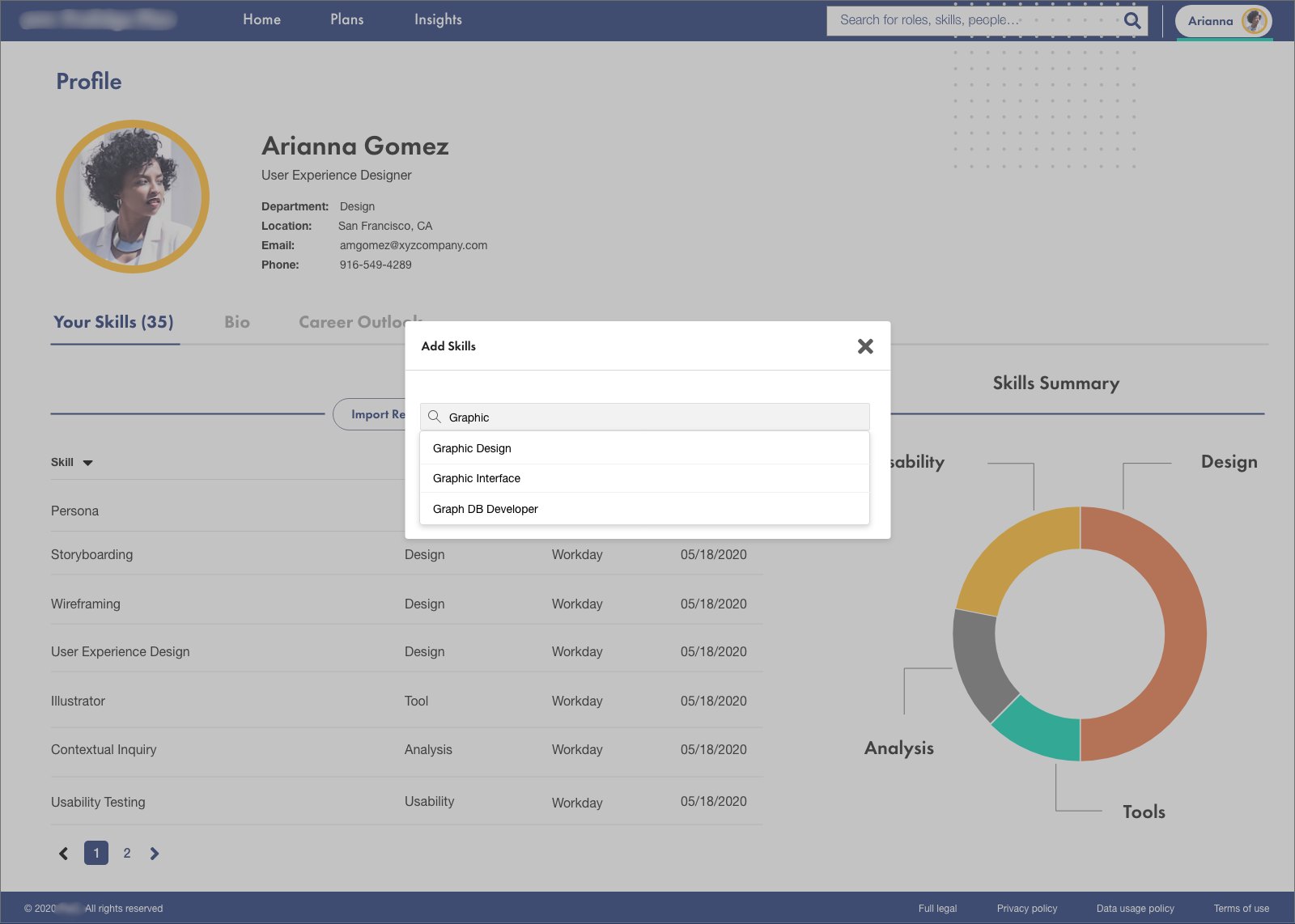
- The profile lists skills in a sortable table by category, source, and date, next to a skills summary chart, and skills can be added by search or imported.
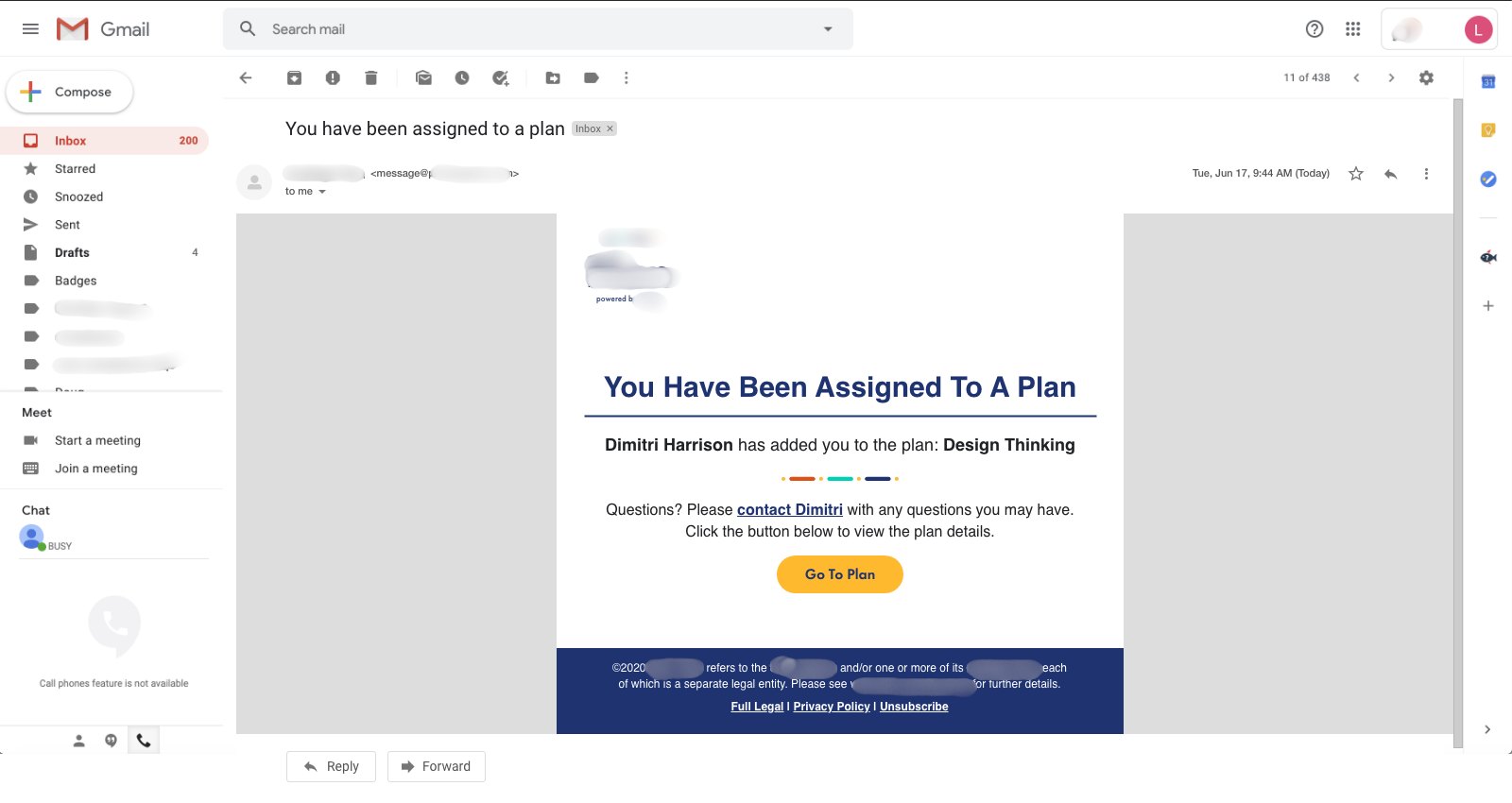
- When someone is assigned a plan, they get an email that says who assigned it and gives one clear button to open it.
05Constraints
The same product had to work for individual employees, team leads, and organization leaders, each with different goals. Skill data came from existing HR systems, and every screen had to stay within the company brand.
Screens and artifacts